
Most keyword tools ask for trust. They hand you a number, a colour, and a sortable table, and leave the reasoning inside the product. A research method that shows its work asks for something harder and more useful: agreement. You can look at the pieces, dispute one of them, and still use the rest.
Praman’s demand score is built for that kind of scrutiny. It scores observed public autocomplete signals on a deterministic 0–1 scale and prints the four voices behind every result.
Key takeaways
- A 0–1 demand score is a relative signal, not a search-volume estimate.
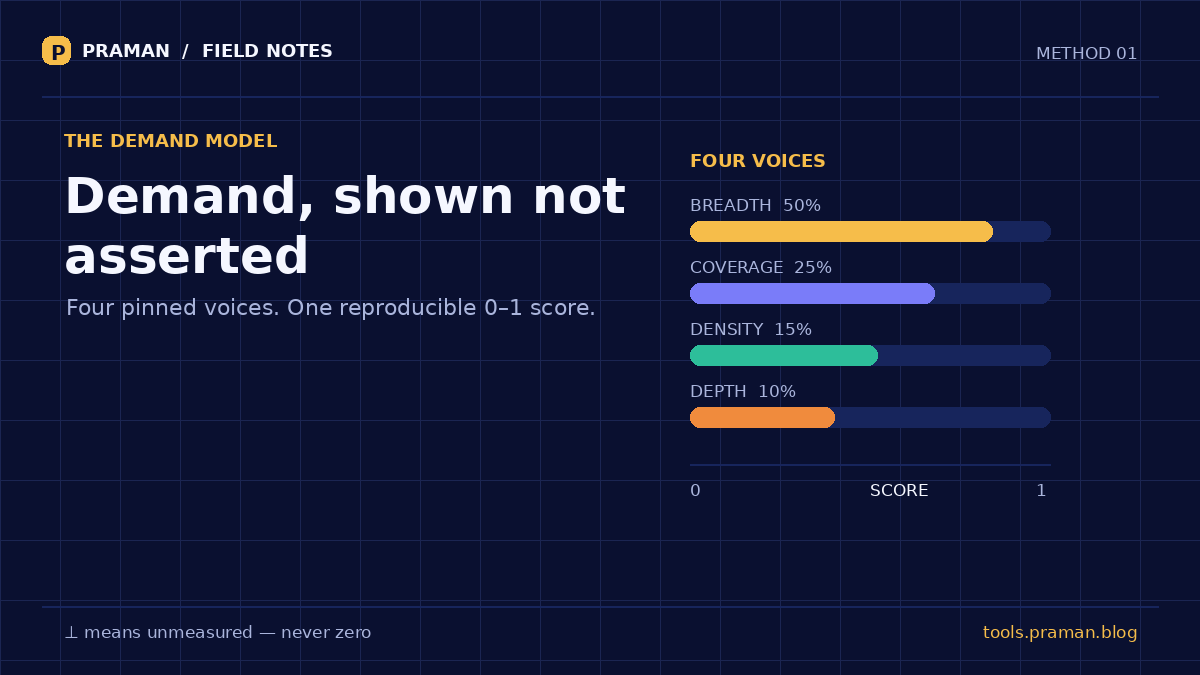
- Four pinned voices — breadth 50%, coverage 25%, density 15%, depth 10% — explain every score.
- Unmeasured probes are ⊥, never zero; weights never renormalise.
- Provenance labels distinguish sample data from live observations and recorded replays.
- Saved runs export as Markdown, CSV, JSON and HTML, so the reasoning travels with the number.
What a demand score actually measures
Autocomplete as evidence
Public autocomplete suggestions are one of the few demand signals you can observe directly without a proprietary panel. They are not search logs. They tell you what a public suggestion system is willing to surface for a string at a point in time. Praman probes those suggestions, scores what comes back, and keeps the observation lists available for inspection.
The four voices, in fixed order
Breadth (50%) asks how many expansion probes returned suggestions — whether a seed opens into a wider surface. Coverage (25%) checks the head query itself. Density (15%) counts how many discovered suggestions are question-shaped, a practical proxy for informational intent. Depth (10%) looks at where the seed appears in the ranked list. The weights are pinned, named and printed with the score in every language and every mode.
Why the split is useful
Two keywords can share a similar final score for completely different reasons. One may have wide breadth and almost no questions; another may be narrow but strongly question-led. Those are different briefs: the first wants a hub, the second wants a precise answer. If you only see the aggregate, you cannot make that call. If you see the four voices, you can.
Missing stays visible
A probe that returned an empty suggestion list is measured absence: 0.0. A probe that timed out, hit a limit, or was never reached is ⊥. It is excluded rather than scored as zero, and the remaining weights are not inflated to fill the hole. That rule keeps scores comparable across runs and keeps the provenance honest.
Worked example: two seeds, two briefs
Suppose you are choosing between a broad topic and a question-led one. Run both seeds in Demo first to learn the workflow, then in Live. In the export, read the voices before the score. If seed A wins on breadth but has little question density, plan a hub with supporting pages. If seed B wins on density with modest breadth, write one excellent answer page. Now add your own SERP CSV observations: demand from the app, competition from what you saw. The two facts stay separate, so the decision stays explainable.
Throughout, keep the mode label attached: DEMO · SYNTHETIC FIXTURES for sample data, LIVE · GOOGLE AUTOCOMPLETE · RESULTS VARY for server-side calls to public autocomplete with no API key required, and REPLAY · RECORDED JSON for a restored run. A comparison between a Demo illustration and a Live observation is not a comparison at all.
The point of showing your work is not to prove the score right. It is to make the score arguable.
What this does not tell you
The model does not provide exact search volume, clicks, traffic forecasts, guaranteed rankings or private competitor data. Autocomplete reflects public suggestions at run time, so Live results vary; use Replay when you need the same inputs again. Demand is one input among several. The precise definitions are in the methodology.
What to do next
Open the hosted app, run two seeds in Demo, and export the run as CSV and JSON. Read the four voices, find any ⊥ cells, and load the JSON again to confirm the score reproduces. If the model fits how your team works, check the plans and make saved runs part of every research handoff.
Leave a Reply