
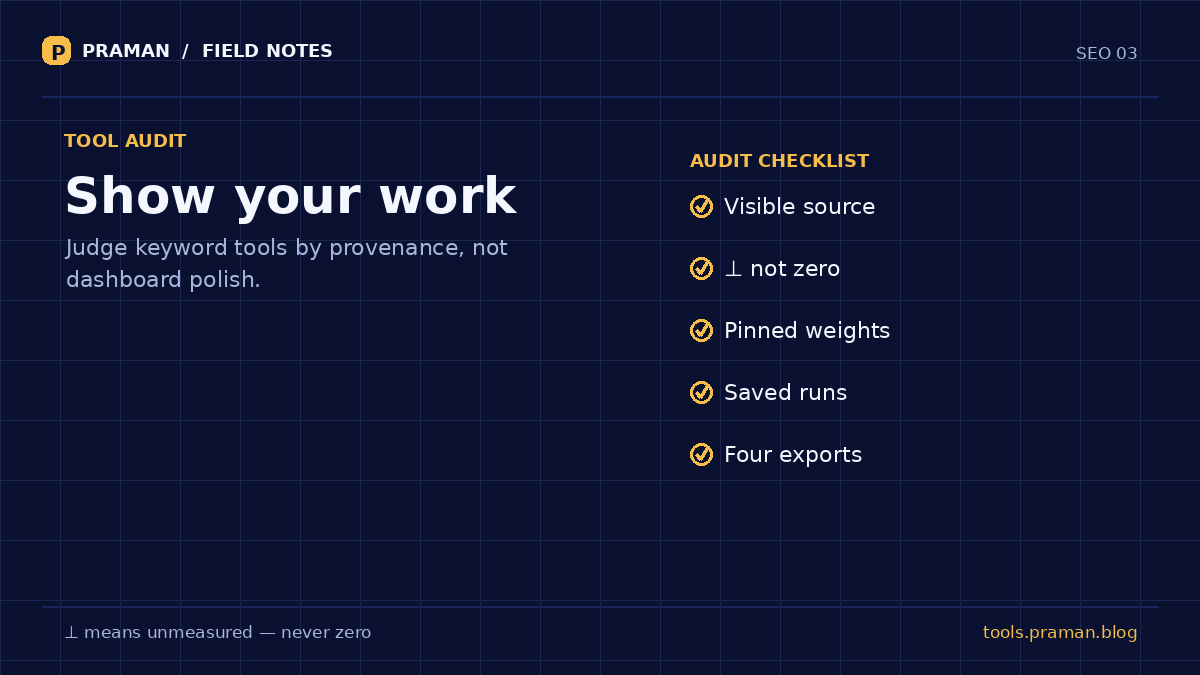
A keyword tool can be beautiful and still be unaccountable. The dashboard shows a sorted table, a few coloured bars and a number with two decimal places; nowhere does it say what was observed, when, under which seed, or what happened to the fields it could not measure. Buyers are trained to evaluate the surface. A better test is to ask the tool to show its work. If it cannot reconstruct a row from an observation, the polish is hiding the product.
Key takeaways
- Judge provenance before presentation: every row should carry seed, variant, rank, voices, mode and timestamp.
- Demand should be a deterministic 0–1 score from four pinned voices — breadth 50%, coverage 25%, density 15%, depth 10% — not a forecast wearing decimals.
- ⊥ must survive the score. A tool that converts unmeasured signals to zero has already answered a question it never asked.
- Mode labels are non-negotiable: Live observes autocomplete, Replay reads recorded JSON, and free Demo data is sample data.
- Exports are the audit trail: Markdown, CSV, JSON and HTML should preserve the same fields the screen shows.
What a dashboard hides
Most interfaces are optimised for a first impression: a large total, a tidy ranking, a traffic projection. Those are outputs. The inputs — a seed, a suggestion string, a rank, a probe time — are usually buried or discarded. When the inputs are absent, you cannot answer basic questions later. Did that variant appear under one seed or five? Was it observed this week or last quarter? Was the run live or a demo dataset? The table looks identical in every case.
This is not primarily an aesthetic complaint. It is an epistemic one. A tool that cannot show the path from observation to score is asking you to trust the score. Trust is a poor substitute for provenance when a client asks why a page was written, or when you revisit a decision six months later. The show-your-work argument applies here as much as it does to published research.
The audit checklist
Run the same small seed through any candidate tool and score it against the following checklist. It does not require access to a vendor’s internals; most failures are visible in the interface and the export.
| Check | What to look for | Failure signal |
|---|---|---|
| Provenance | Seed, variant, rank, voices, mode and timestamp on each row | Aggregate totals with no row-level source |
| Observed signal | Named public surface and method of collection | Volume and difficulty presented as direct observations |
| Scoring | Fixed scale, pinned weights, deterministic output | Unexplained recalculation when filters change |
| Unmeasured state | ⊥ preserved, no silent renormalisation | Blanks become zeros; confidence rises when data is missing |
| Mode labels | Live, Demo and Replay explicit on every run | Sample data presented without a label |
| Repeatability | Recorded runs can be replayed | “Refresh” changes history with no archive |
| Exports | Markdown, CSV, JSON and HTML retain the same fields | CSV strips provenance; JSON omits modes |
Notice that none of these checks rewards a prettier chart. They reward an interface that can be cross-examined.
Worked audit on one seed
Here is the audit applied to the seed keyword research. The strings below were observed in a live Praman autocomplete probe in India in November 2026; the ranks and 0–1 scores are the recorded values, not volume estimates.
| Observed variant | Rank | Score | Provenance a buyer should see |
|---|---|---|---|
| keyword research tools | 1 | 0.5073 | Seed: keyword research; Live; timestamp; voices recorded |
| keyword research tool free | 2 | 0.4634 | Seed: keyword research; Live; timestamp; voices recorded |
| keyword research planner | 3 | 0.4439 | Seed: keyword research; Live; timestamp; voices recorded |
| keyword research free tools for seo | 5 | 0.4244 | Seed: keyword research; Live; timestamp; voices recorded |
The interesting part is what the audit reveals about tool design. These four rows are all transactional or comparison-flavoured phrases about tools, and all four were produced by one seed. A flat list would show four similar scores and invite you to write four near-identical pages. A tool that exposes breadth and density would show that they are a cluster, not four independent opportunities. A tool that preserves rank would show that rank 5 is still an observation, not a failure. Praman keeps those distinctions because the four voices are pinned at breadth 50%, coverage 25%, density 15% and depth 10%, and because each row carries its seed and timestamp.
A tool that hides its inputs is not saving you complexity; it is spending your confidence.
The same seed also produced broader definitional variants such as what is keyword research at rank 18. That single fact changes the editorial plan: one explanatory page can serve the definitional cluster while the tool cluster gets a separate, evidence-backed comparison. See the measured definition article for how that split is reasoned.
Exports as evidence
An export is not a convenience feature; it is the durable form of the claim. A CSV that drops the seed makes recurrence impossible to check. A JSON file that omits mode makes a Demo sample indistinguishable from a Live probe. An HTML report that rounds away the voices turns a scored observation into a mysterious ranking. Praman saves runs and exports them as Markdown, CSV, JSON and HTML, with provenance carried through each format. That is the standard to apply to any tool you are evaluating; the decision export format explains the reasoning.
Exports also make disagreement productive. Two people can open the same JSON, look at the same recorded ranks and argue about interpretation without arguing about what the tool saw. If that sounds obvious, you have not spent time with a tool whose spreadsheet arrives as a list of bare strings.
Free versus paid trade-offs
The honest distinction is not “free tools are weak, paid tools are strong”. It is a distinction between modes. Demo mode is free, useful for learning the interface, and always labelled sample data — nobody should build a decision on it. Live mode records real observed autocomplete and is the mode that earns trust. Replay uses recorded JSON, which is how an old run survives a change in the surface. When comparing plans, ask which modes are included and whether replayed runs retain provenance; the plans page sets this out for Praman. For context on why estimated volumes are a different product category altogether, see why keyword volume is a guess.
Questions to ask a vendor
- Which exact surface did you observe, and can I see the seed and timestamp for this row?
- How is demand scored, and are the weights pinned or adjusted per account?
- What value do unmeasured signals take, and do you renormalise the remaining weights?
- How can I tell a sample dataset from a live observation?
- Can I replay last month’s run, and does the export contain everything on screen?
If a vendor answers with a screenshot rather than a record, you have your answer. The methodology is a useful benchmark for comparing replies, and the pillar workflow shows what a fully recorded run looks like end to end.
FAQ
Do I need an API key to evaluate the hosted app?
No. Praman probes autocomplete server-side, so the seed is all you supply. That removes one common source of “it works on my machine” disagreement.
Can I judge a tool from a free trial alone?
You can judge its honesty from a labelled Demo, because provenance and mode labels should be visible even in sample data. Judge the observed signal only in Live mode.
Should I reject every tool that shows estimated volume?
No. Reject the tool that presents an estimate as an observation or refuses to say how it was derived. An explicitly labelled forecast is a different claim, and it can coexist with observed evidence.
Web desk
YouTube desk
Run the method on one seed.
Open the workspace, start with a free labelled demo, then switch to Live when you want observed autocomplete with provenance attached to every row and export.
Demo runs are free and labelled. Live and Replay share one run pool across all three desks.
Leave a Reply